Back to Maintenance Manager for Manufacturing Main Menu
Reset a Forgotten Password
If the password has been forgotten, it can be recovered using the Can't login to your account? option.
To reset a password
-
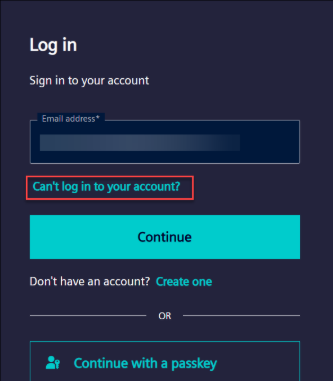
On the Log in page, click Can’t login to your account?
-
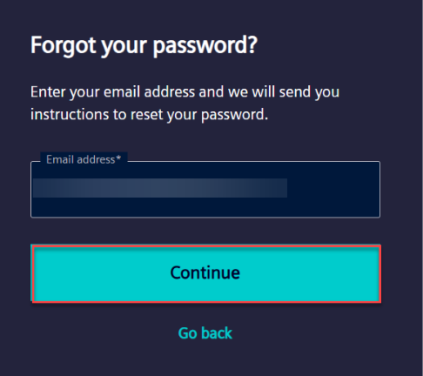
Enter the registered email address and click Continue.
-
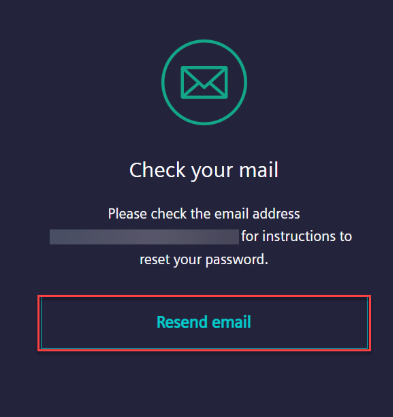
Check the email inbox for a password reset email containing instructions and a reset link.
NOTE If the password reset email is not received, click Resend Email and check the inbox again.
-
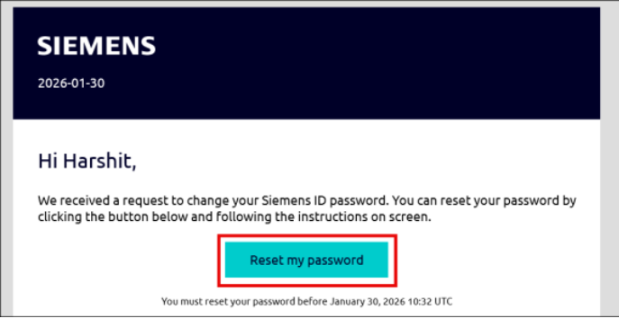
Open the email and click Reset my password.
-
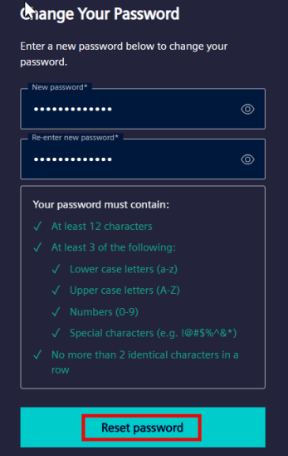
Enter the new password in the required fields.
-
Click Reset Password.
-
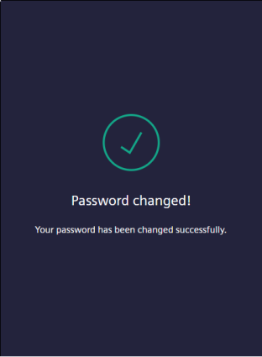
A confirmation message appears after the password is successfully reset.
-
Sign in to the application using the new password.
